
User Manual
Installation Kit
Phone:
- TelescopeMotionSender for Push_to_Sky.apk (Sends telescope direction data to the Push_to_Sky system)
- GPS Sender for Push_to_Sky.apk (Sends GPS data to the Push_to_Sky system)
Laptop/Desktop:
- Push_to_Sky application
- config.ini file
How to Use
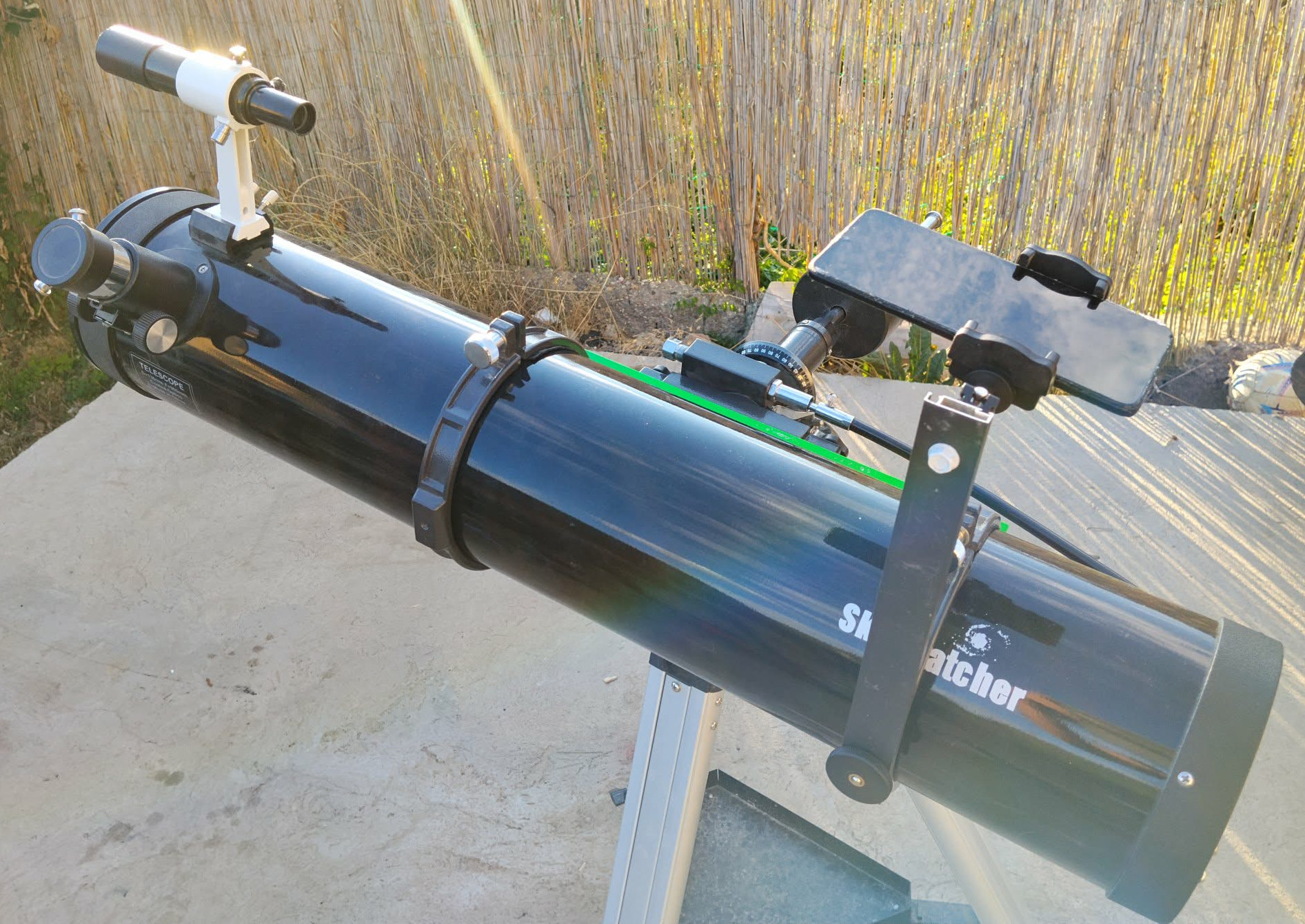
- Attach the phone to the telescope.
- Install the TelescopeMotionSender and GPS Sender applications on the phone.
- Place the Push_to_Sky application and the config.ini file in the same folder on the computer.
- Start the computer application, then start the GPS Sender on the phone. (Remember to enter the computer's exact IP address!)
- Restart the Push_to_Sky application.
- Start the TelescopeMotionSender application on the phone (Again, enter the computer's exact IP address).
- Point the telescope at a known star (e.g., Antares) and mark it in the single-star alignment.
- On the Tracking tab, select any object (e.g., M3), and the system will guide you to it.
Note: The phone sensors are not highly accurate, so occasional manual correction may be necessary.